
A white background is only useful if the right product is left in the picture. In this test, Toono AI’s Product Packshot app kept unwanted desk objects alongside a cup and saucer. A second photo with one clearly identifiable mug produced a centered product image on white.
Below are both original photos and both complete outputs. Nothing was retouched after generation. The useful lesson is about choosing an input photo—not just making a background white.
Make a white background product photo
- Open Product Packshot and sign in.
- Upload a clear photo showing the complete product and any accessories actually included in the sale.
- Check the credit cost beside Generate. It was 12 credits per image in this test.
- Select Generate, wait for the result, then download it and compare it with the source.
There’s no prompt field or model selector in this app. It applies its own packshot workflow. Both tests used that default workflow. The settings were square, 2K and JPG.
Test 1: the desk props stayed in the picture
Our first source was Arina Krasnikova’s cup-and-saucer photograph. The intended product was the black cup and matching saucer. The glasses, laptop, notebook and pen were unrelated props.
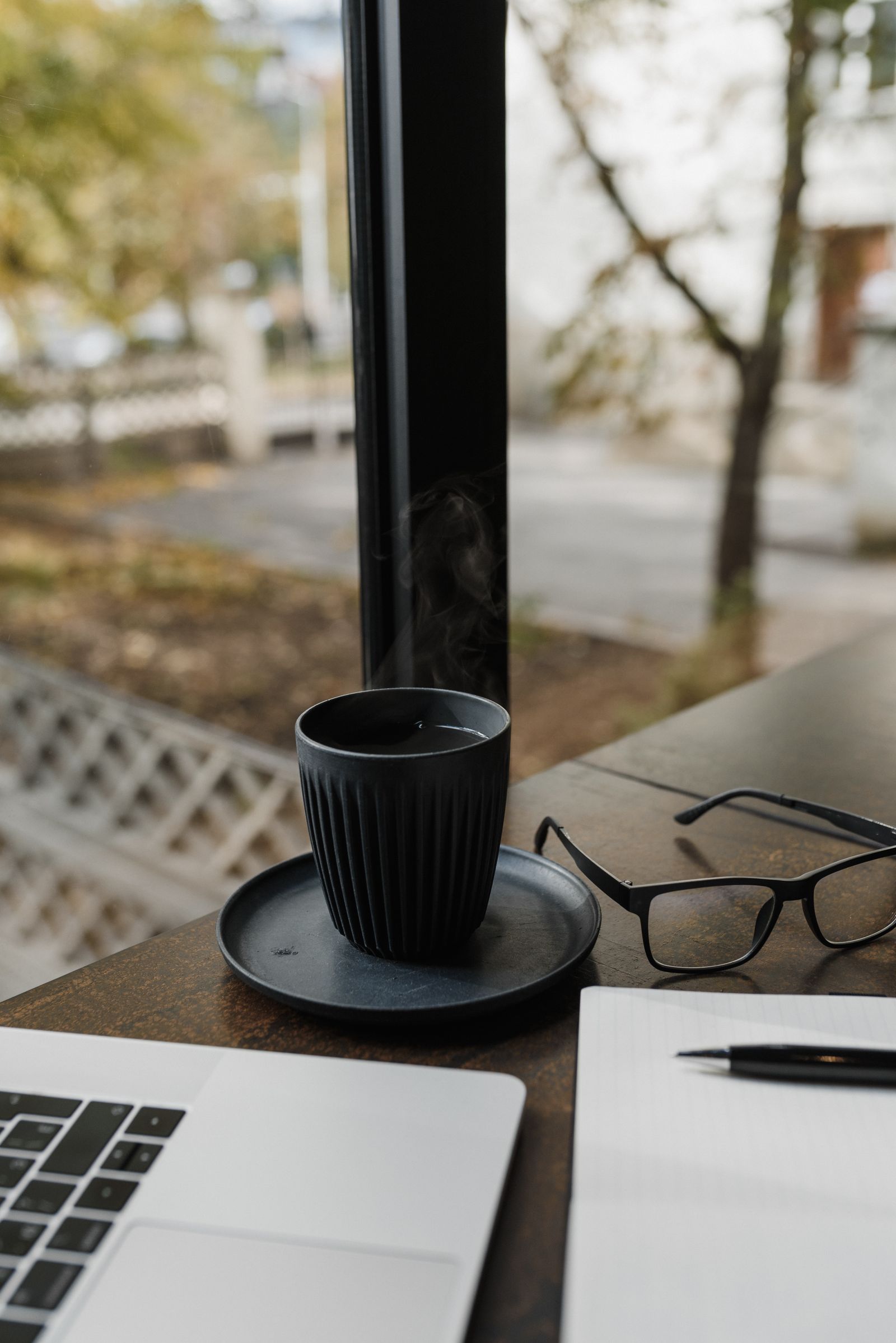
Here is the complete first output:

The wooden surface and window view became white, but the other objects stayed. There was also substantial empty space above the product. For a listing selling only the cup and saucer, this wasn’t a usable isolation of the intended set.
The output suggests the app did not distinguish the intended product from the surrounding objects in this instance. It doesn’t tell us exactly why. Since the interface offers no subject-selection or prompt field, adding an instruction is not a step a reader can reproduce here.
Test 2: one mug, fewer competing objects
For a second attempt, we chose Cup of Couple’s brown mug photograph. It shows a single ceramic mug on a wooden bench, without separate desk accessories.
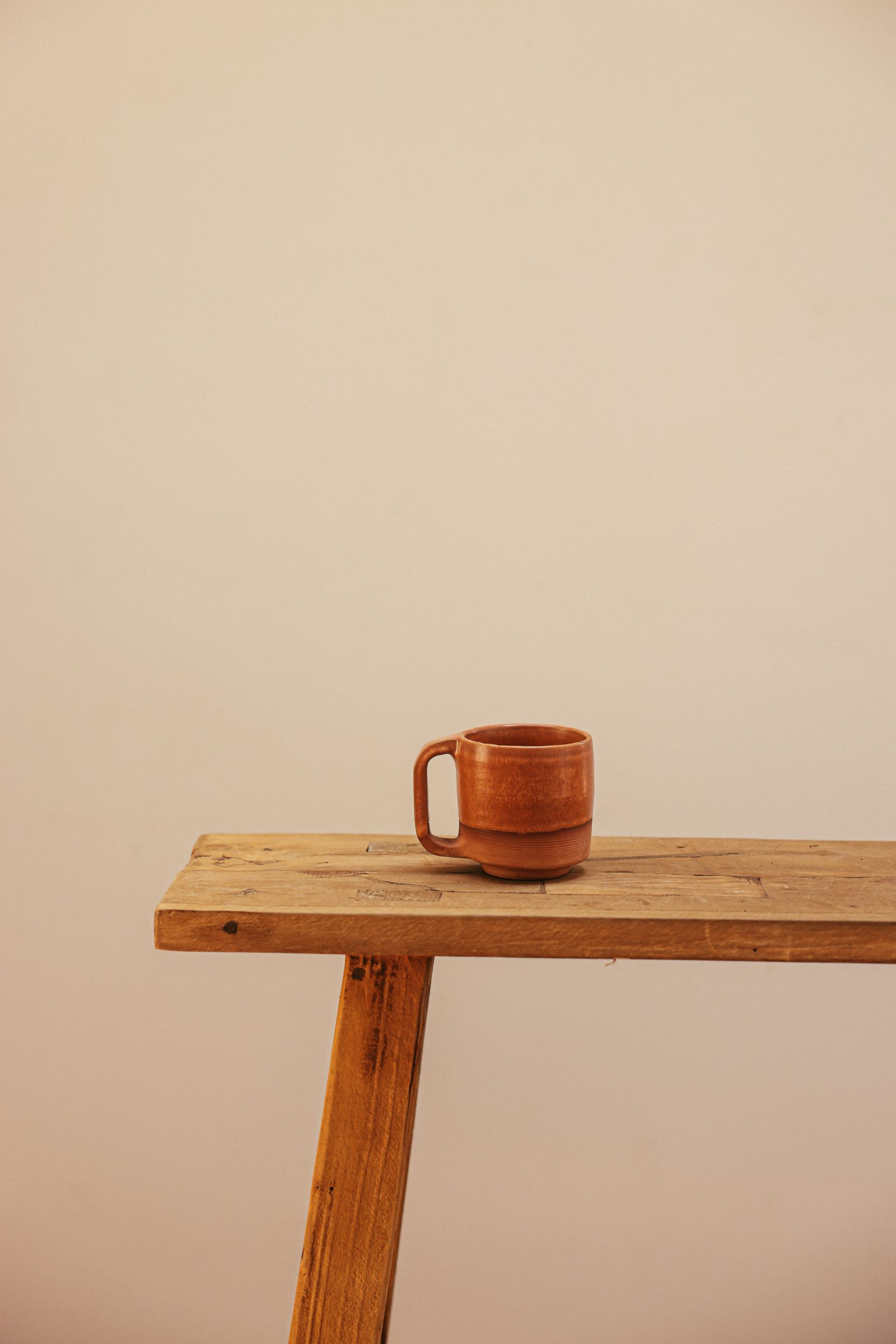
Using the same app defaults produced this image:
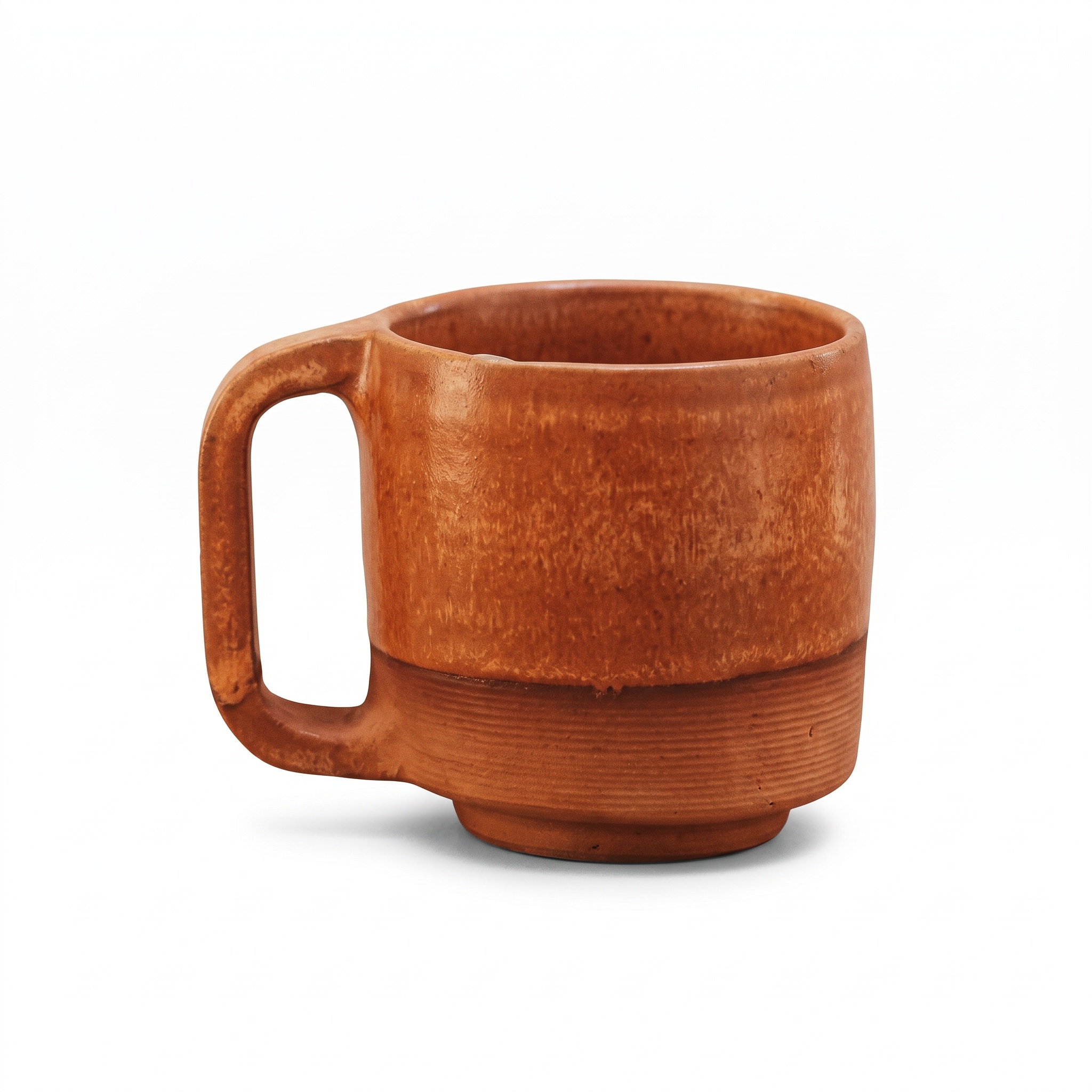
The bench and wall disappeared. The mug was enlarged and centered, with its left handle visible and a soft shadow beneath the base. The brown glaze and ribbed lower band remained recognizable. No text or additional product appeared.
That is a useful background result, but it isn’t proof of exact product fidelity. The mug is small in the source. The much larger output shows glaze marks and small surface pits that the source cannot verify. Check the rim, handle joints, color and proportions against a better product photo before publishing.
These are two different mugs photographed by different people. This is not a controlled before-and-after experiment with the same product, and two examples cannot establish a success rate.
Time and credit cost
| Input | Outcome | Time | Credits |
|---|---|---|---|
| Cup and saucer on a cluttered desk | Generated successfully, but retained unwanted objects | 28.6 seconds | 12 |
| Single brown mug | White background and centered mug; fine detail needs checking | 28.3 seconds | 12 |
| Total | Two generations | — | 24 |
Tested September 10, 2026. Both files are 2048 × 2048 JPGs. Times cover submission, waiting and retrieval of the result, excluding subsequent archival work. Current costs and completion times can differ. No sales lift or marketplace acceptance was tested.
What I’d change before uploading
Start with the exact set being sold. Remove styling props, keep the whole product visible and move the camera close enough to record useful detail. An AI-generated close-up cannot verify markings that were unclear in the original.
After generation, check the item count, silhouette, color, labels and small parts before judging the background. If you need to describe a particular edit or keep a lifestyle setting, use Image Generation. Our perfume background-editing tutorial shows additional problems with glass and printed branding.
Is this a transparent cutout?
No. These results are JPGs with white backgrounds, not files with transparent pixels. A clean white backdrop also doesn’t establish that the product details are unchanged or that the image meets a particular marketplace’s rules.
The source photos are stock photographs used under the Pexels license, not customer submissions or our own phone photos. Neither the photographers nor Pexels endorse this test.
Have a clear product photo ready? Try Product Packshot and keep the original beside the result for review.